
From a volunteer’s receipt to your organization’s finances.
Bring receipts out of shared folders, chats, and spreadsheets. Eventic connects expense submission, approvals, and recorded reimbursements to the event or organization they belong to.
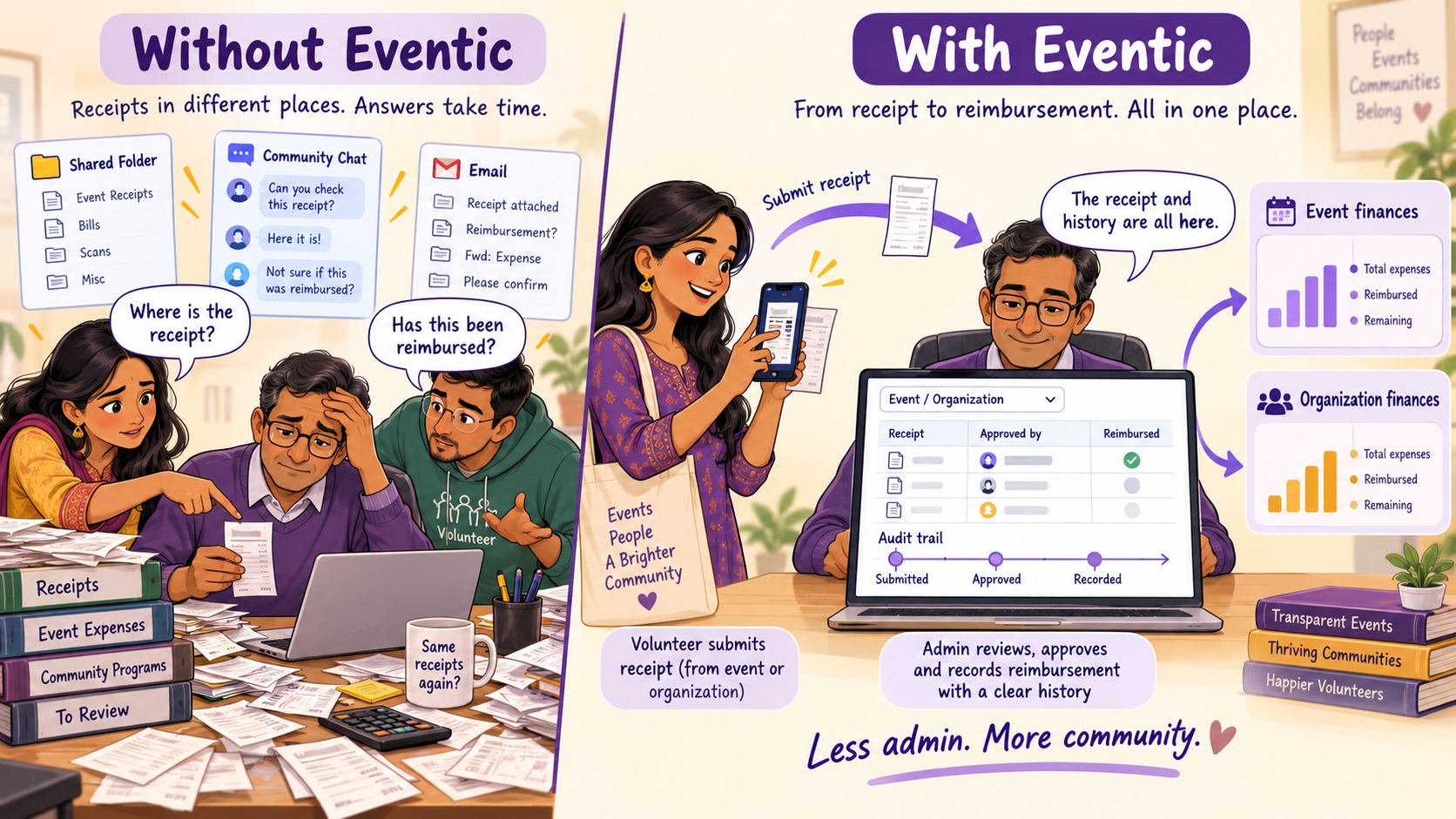
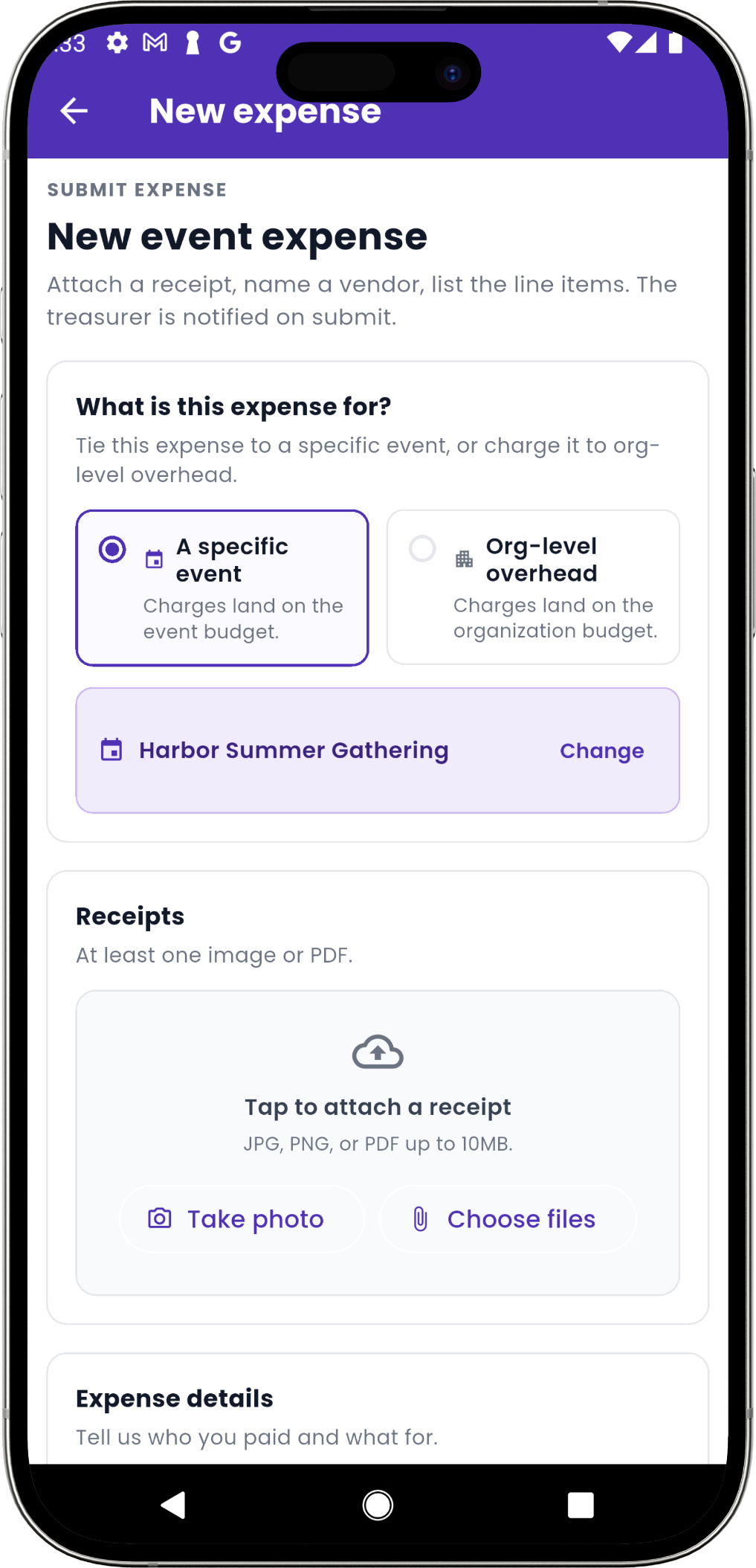
Simple enough for every volunteer.
Choose an event or organization expense, attach a receipt, and add the amount and reimbursement details—all from your phone. Your team can follow the request without chasing messages.
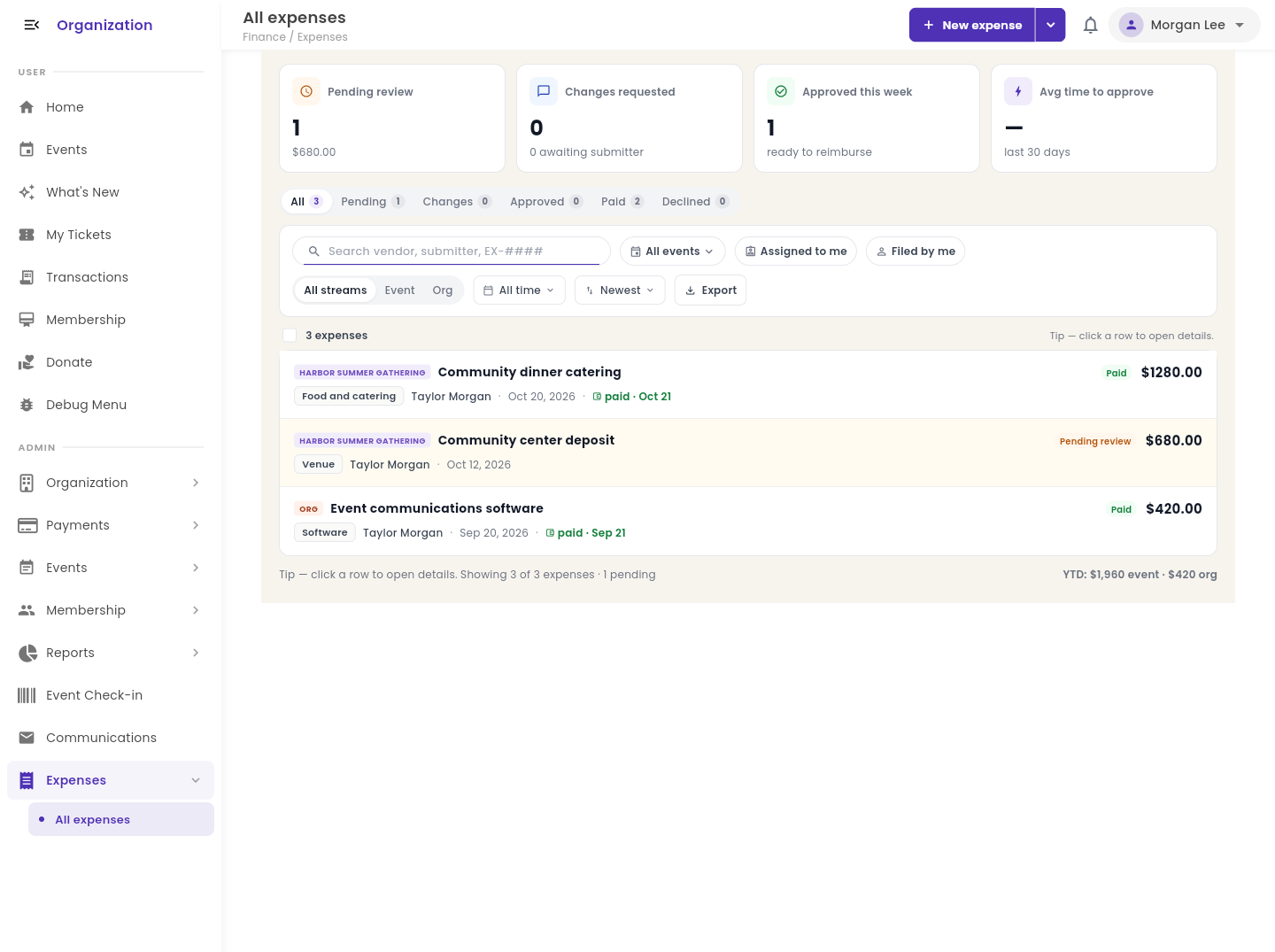
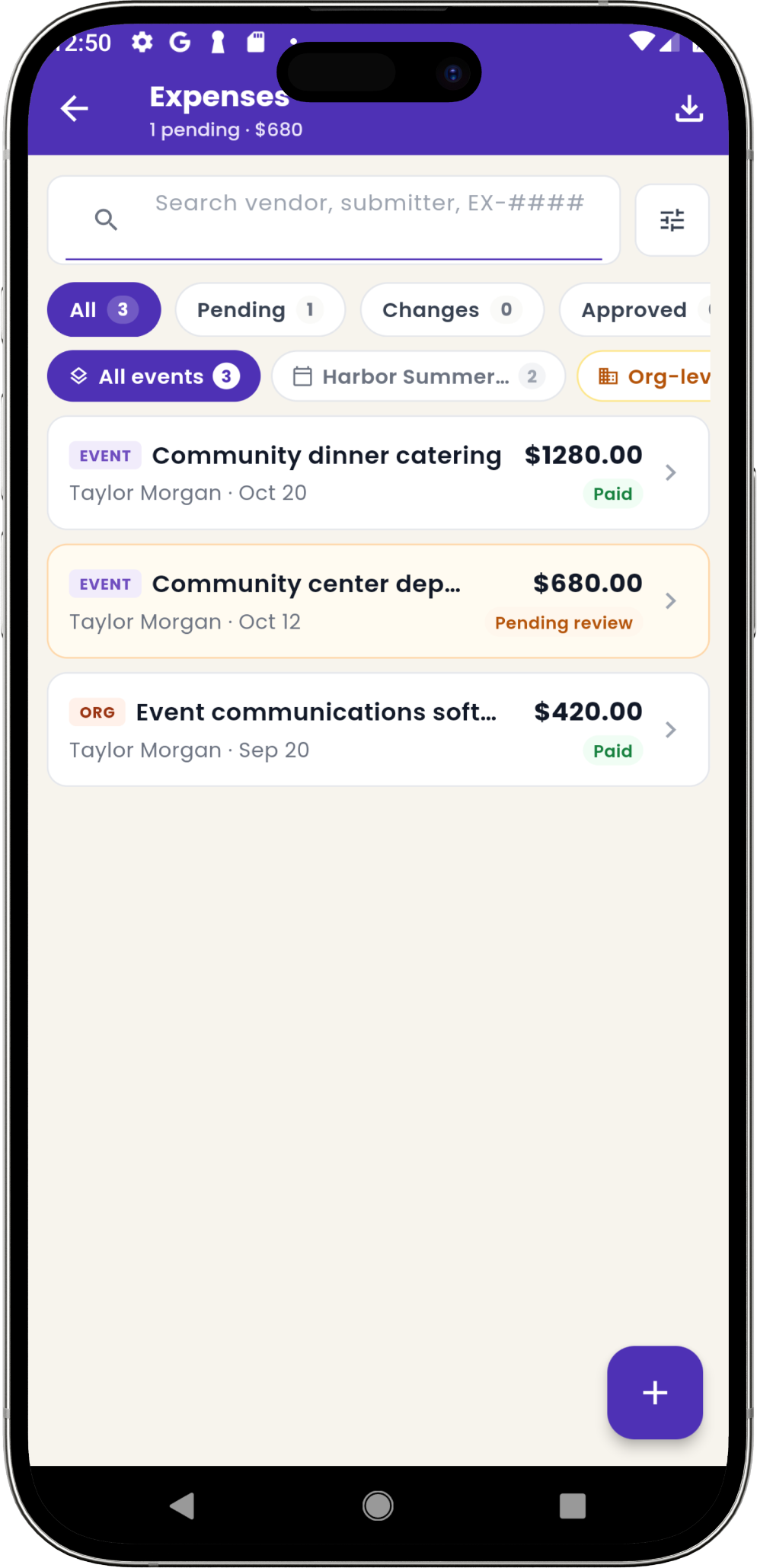
Every receipt connected. Every approval traceable.
Filter the dashboard by event, organization expenses, or status. Open a request to see its receipt, who approved it, and the full audit trail—from submission through recorded reimbursement.
See what the event earned—not just what it sold.
Reimbursed expenses flow into your event and organization finances, giving you a clear view of costs and net revenue.
Explore connected finances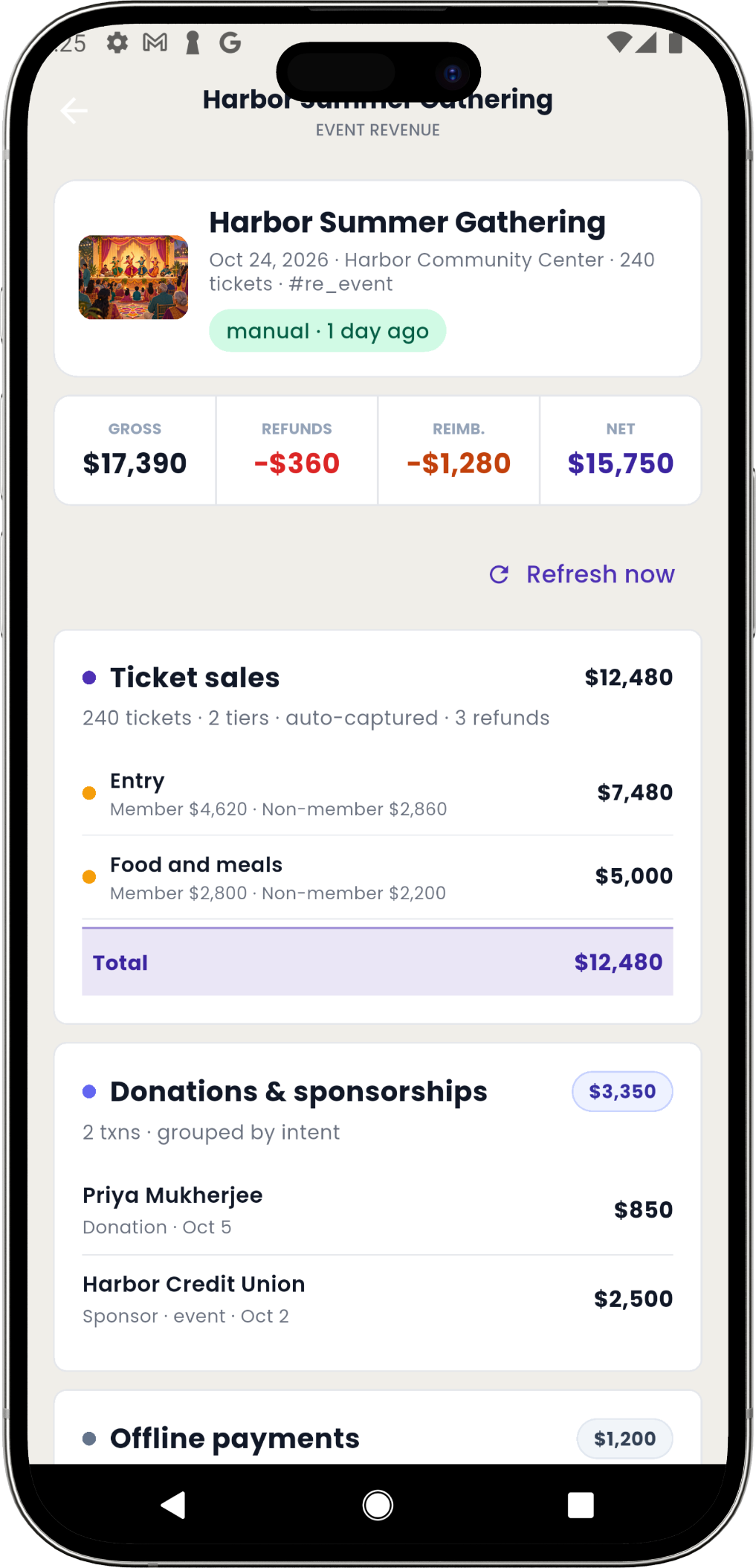
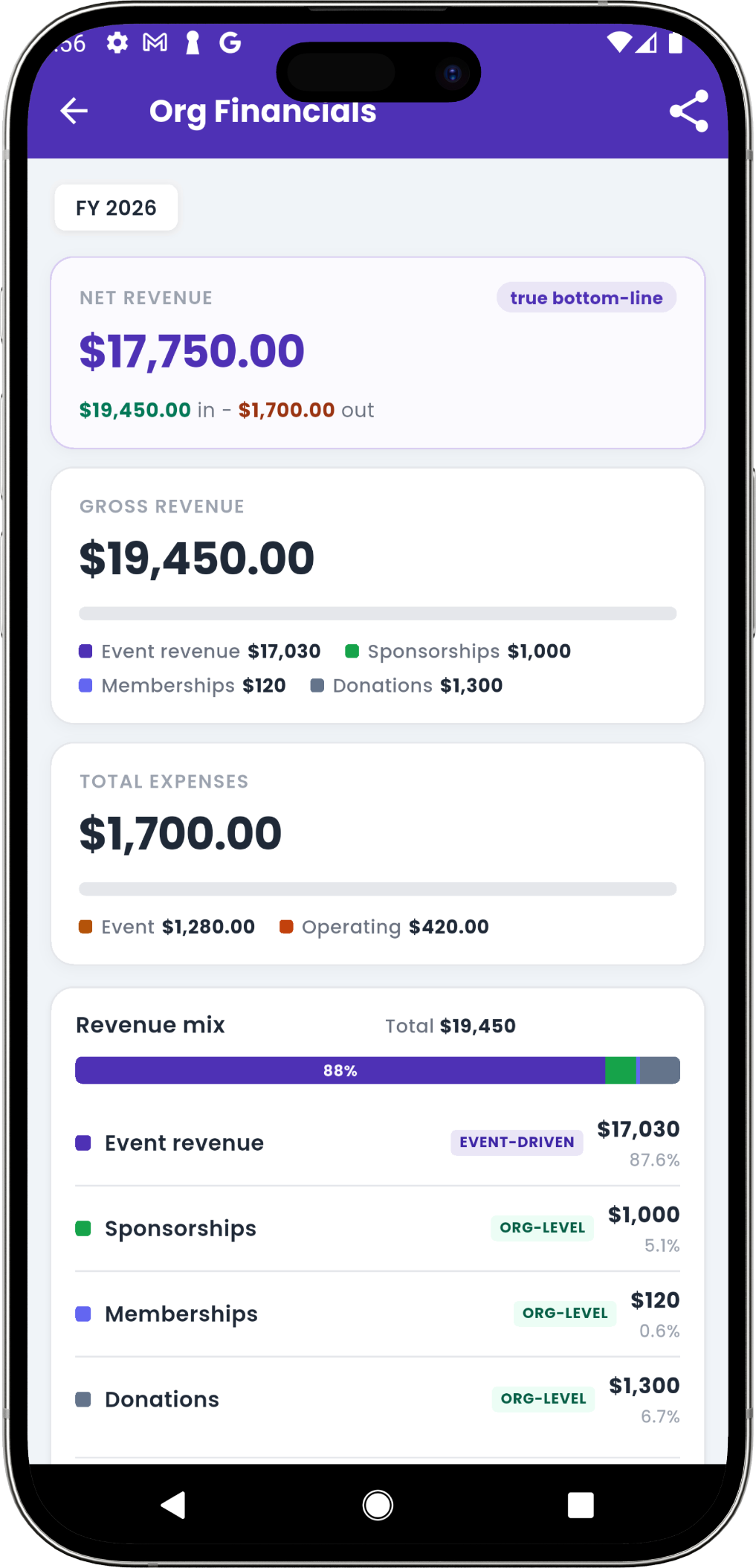
Less receipt chasing. More time for your community.
See how your volunteers and treasurer can manage expenses together in Eventic.