
One clear view of your organization’s finances.
Ticket sales, sponsor payments, and receipts can leave a treasurer with weeks of reconciliation. Record the income and expenses in Eventic, then review the event result and the organization’s wider finances.
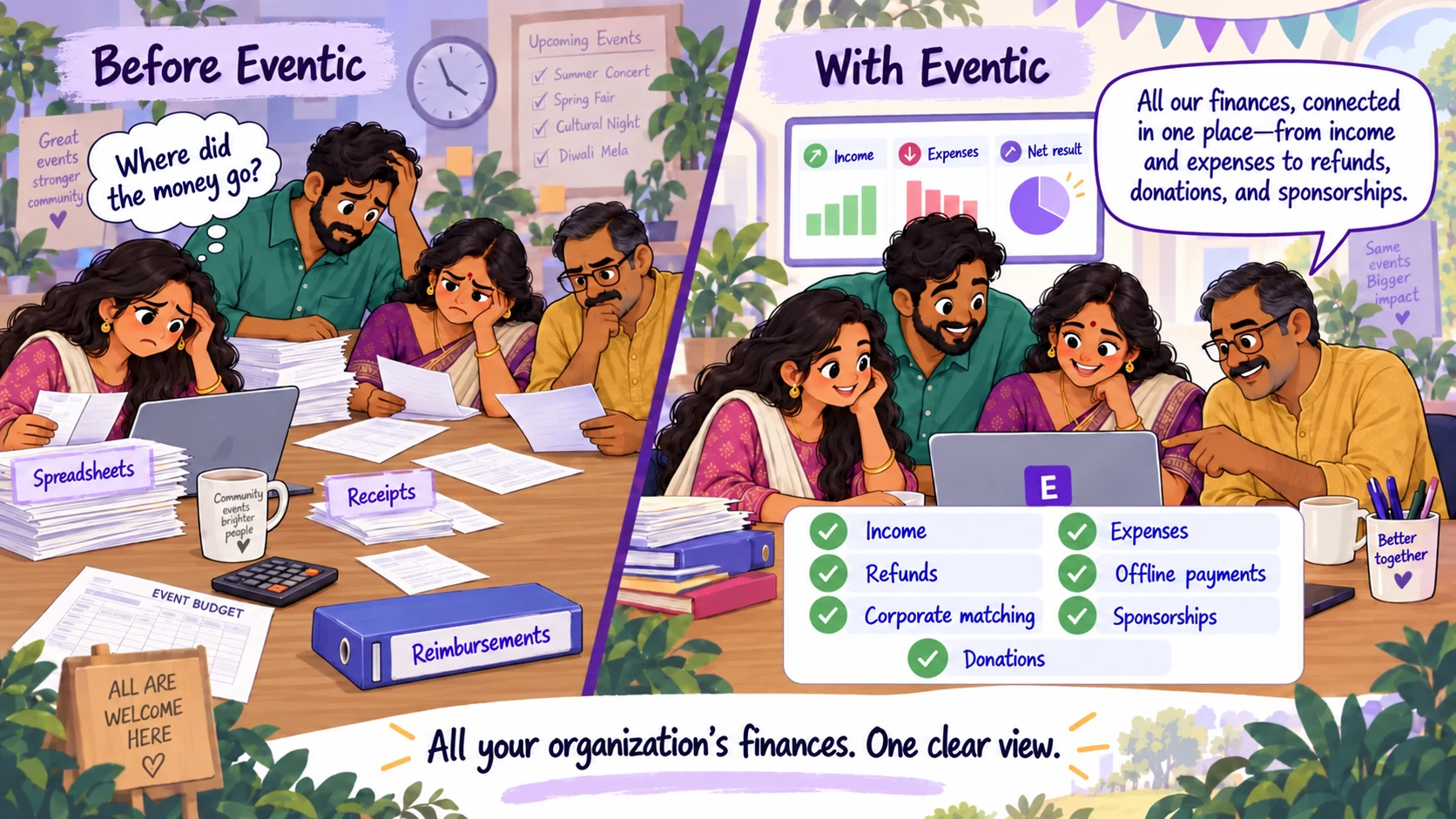
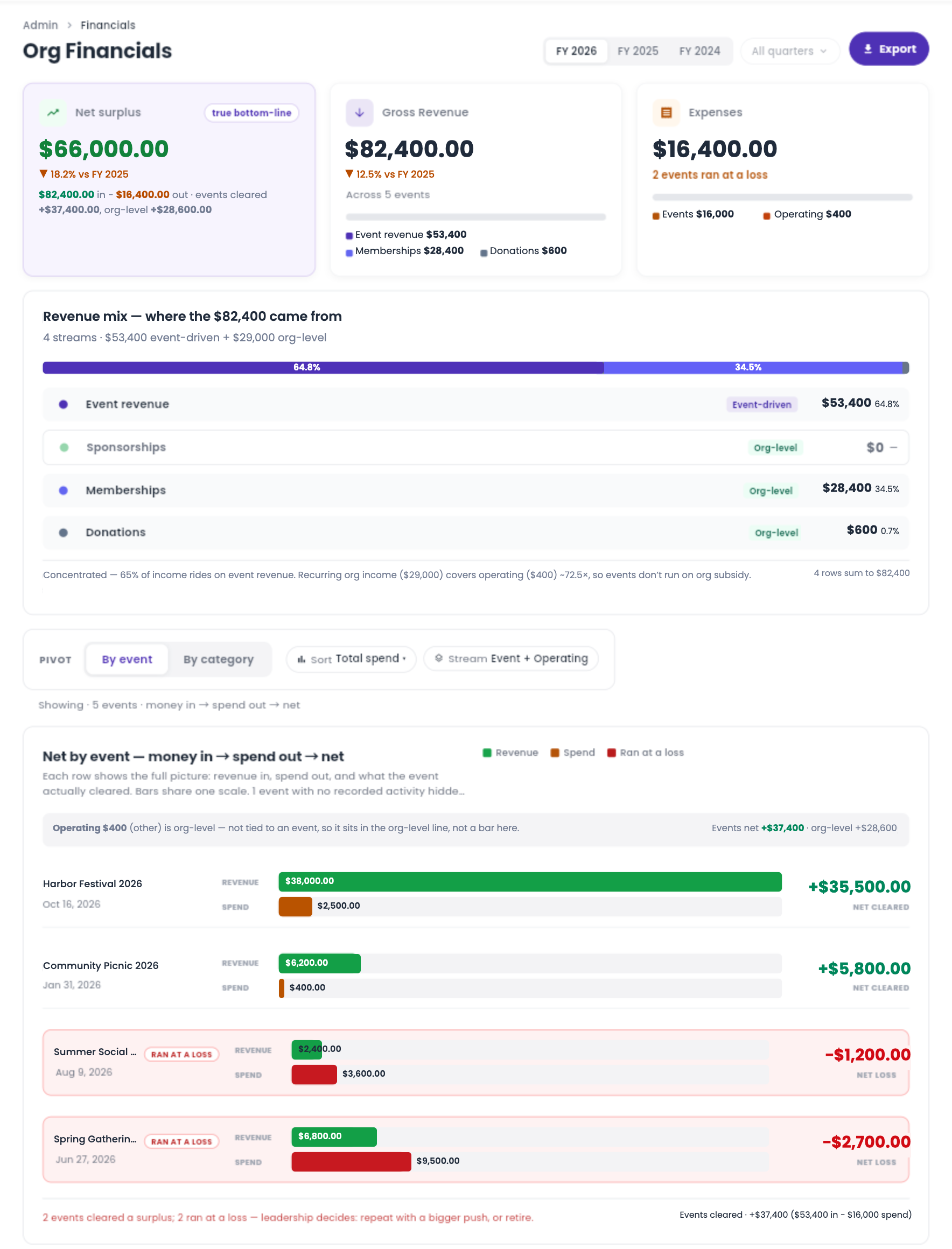
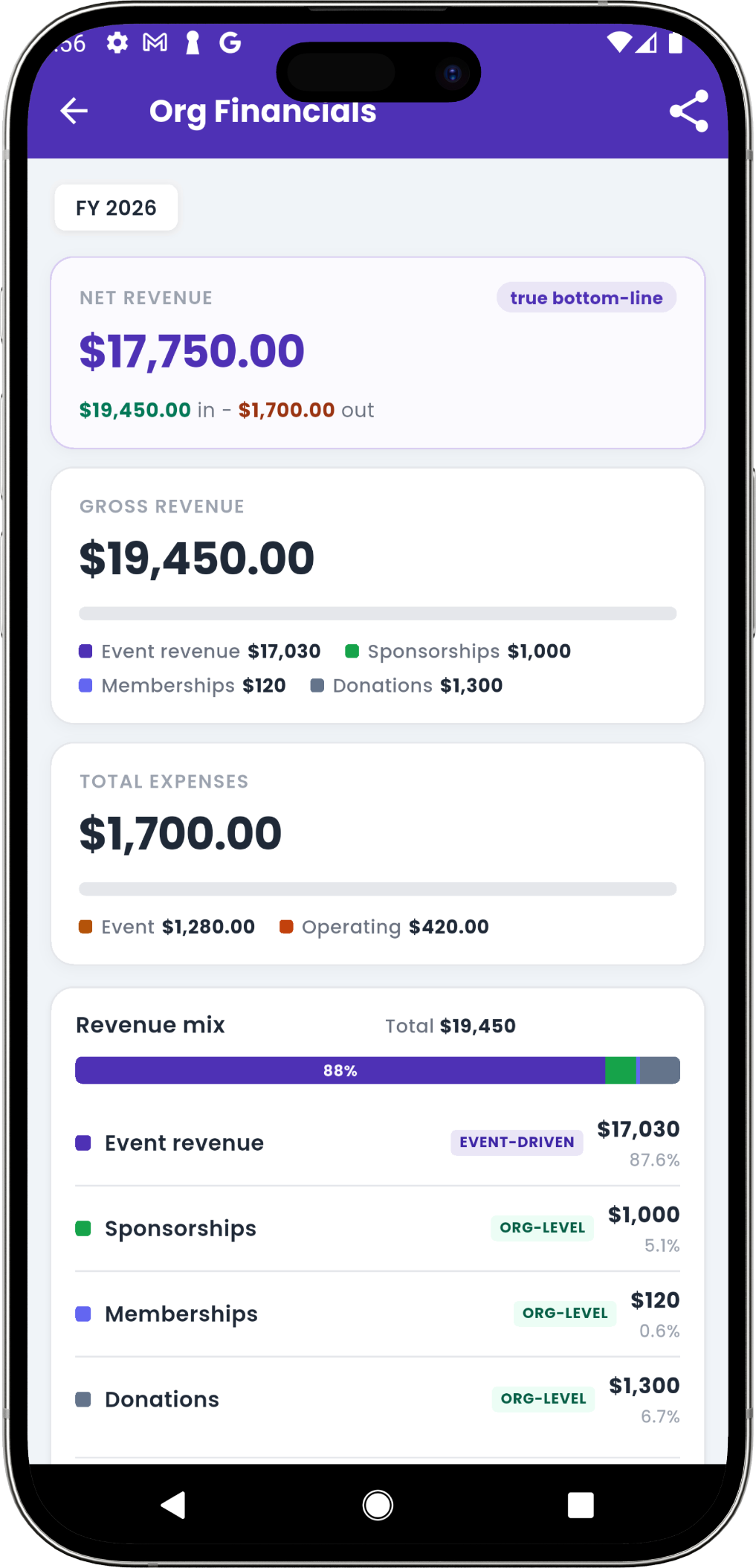
See the organization’s financial picture.
Review event income alongside memberships, donations, sponsorships, and operating expenses to understand what the organization earned, spent, and retained.
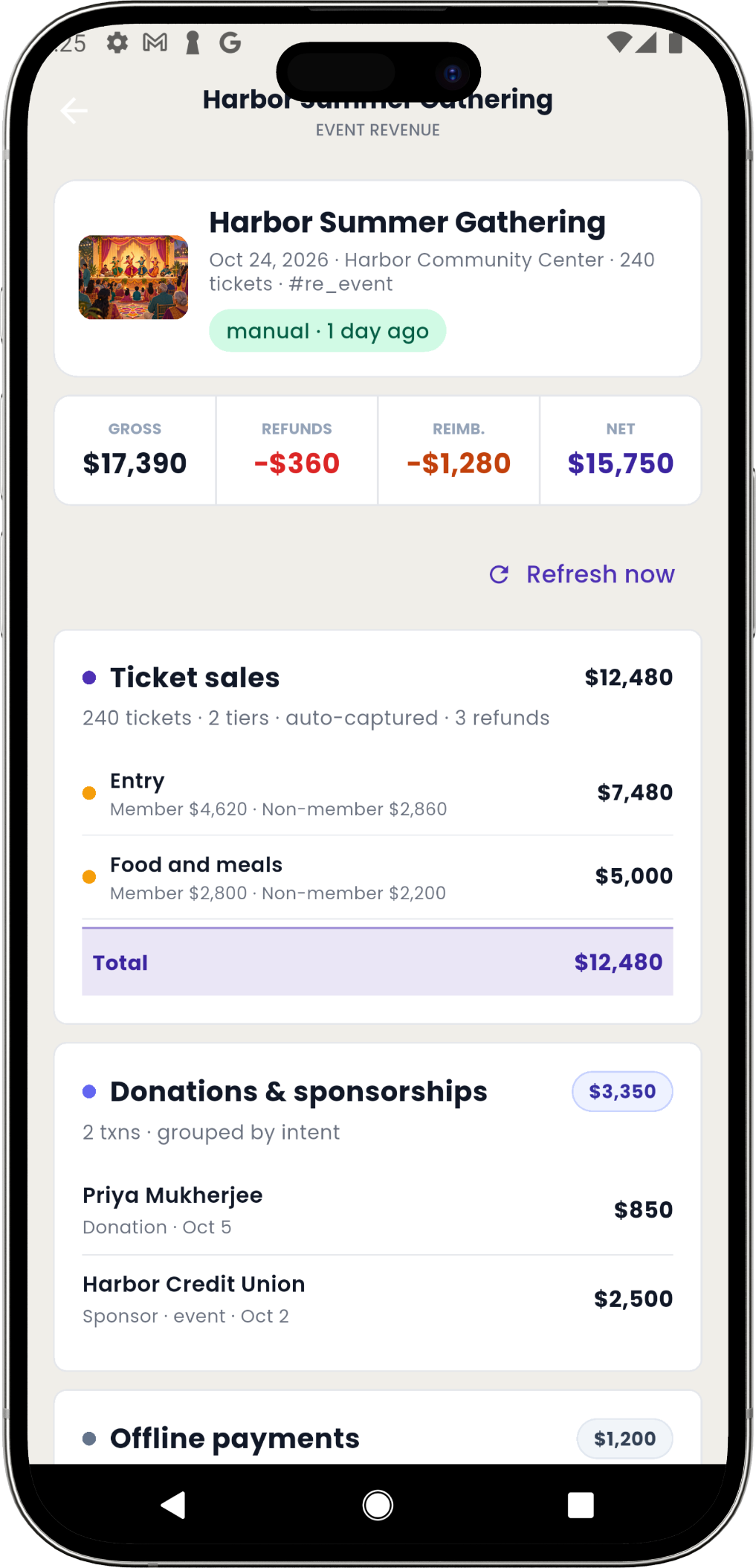
Review the whole event, beyond ticket sales.
See ticket income, donations, sponsorships, offline revenue, refunds, and reimbursed expenses in one event result. Refresh calculated totals to include the latest changes.
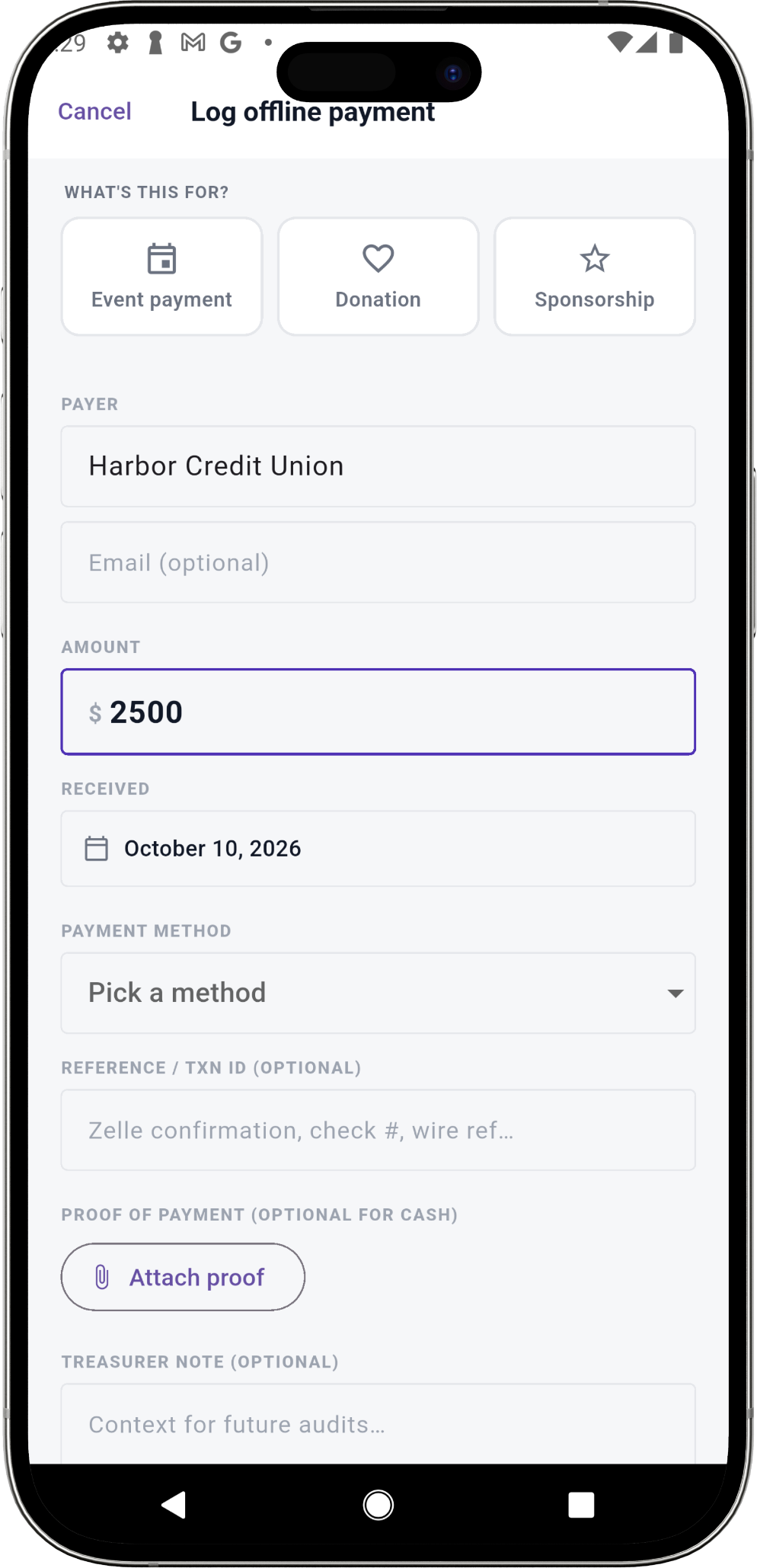
Record money received outside online checkout.
Record cash, checks, or Zelle payments with the payer, amount, date, method, purpose, and a reference or proof. Event payments, donations, and sponsorships stay together in the offline ledger.
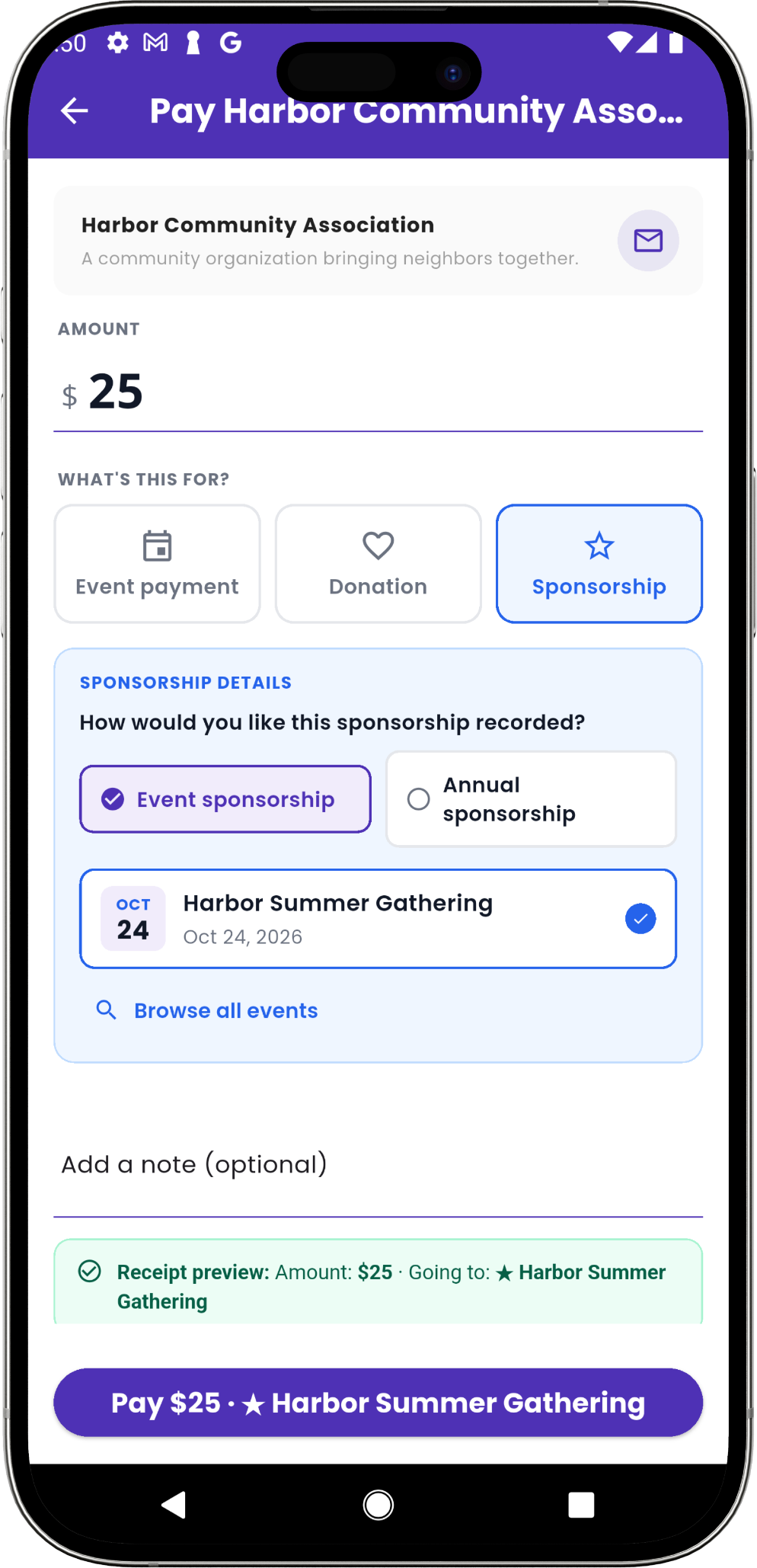
Distinguish a sponsor’s support from a donation.
Supporters choose a donation or sponsorship and its purpose. Event sponsorship feeds that event’s income; annual support appears in organization finances, with each contribution recorded in the giving ledger.
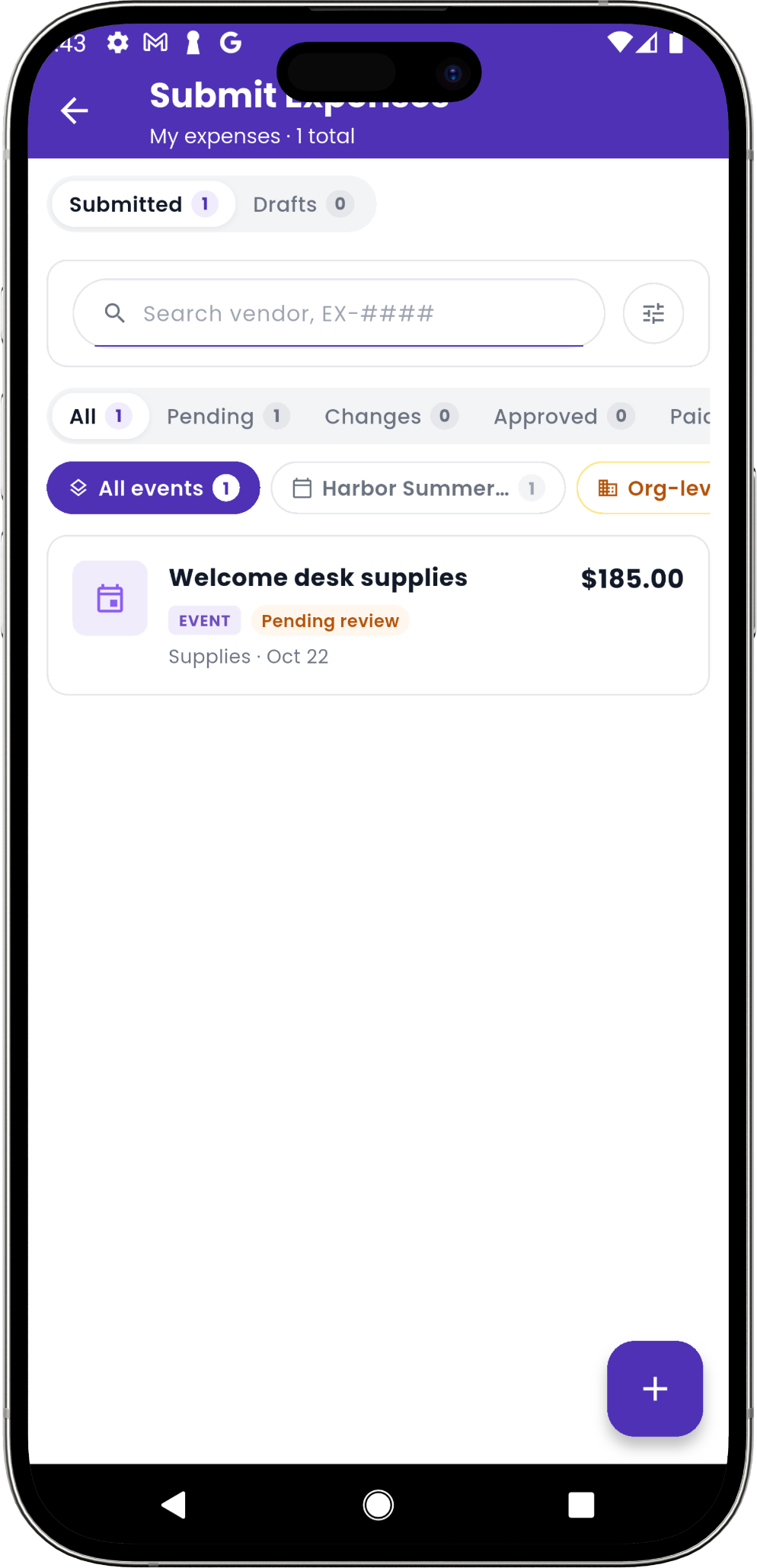
Follow expenses from a receipt to repayment.
Team members submit receipts against an event or the organization. Admins review, approve, and record reimbursement, while pending, approved, and paid statuses keep the next action clear.
Account for refunds before presenting the result.
Recorded refunds show why collected income differs from retained income. Review refreshed totals, fees, and expenses together before preparing your committee’s financial report.
Bring one event’s payments and receipts.
We’ll walk through online income, offline entries, sponsor support, refunds, and expense review with your treasurer.