
Know who has joined your organization.
Review member details and membership purchases before your committee opens the next event.
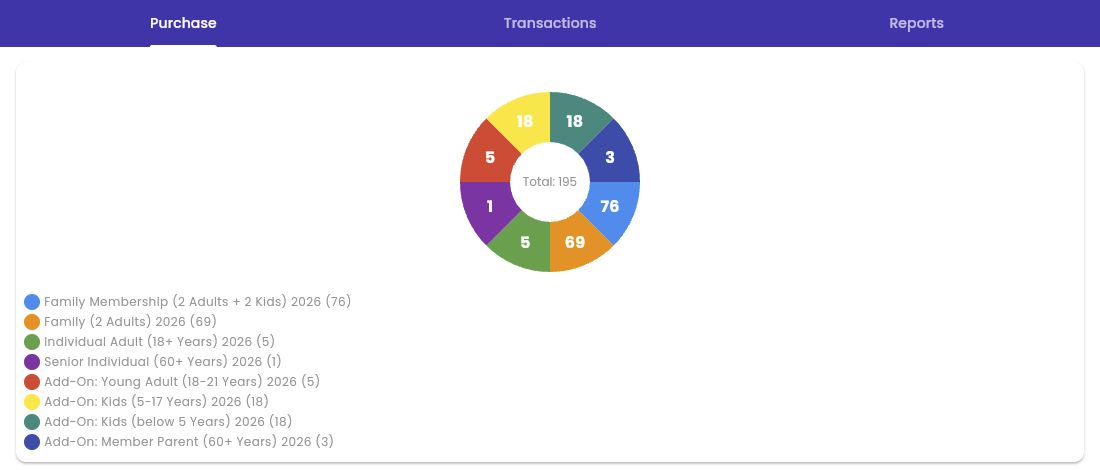
The new committee inherits a spreadsheet it cannot trust.
Names, contact details, and membership purchases are often maintained by different volunteers. Answering who joined this year means checking several lists.
Review purchases, then export the people behind them.
Open Membership Stats to review purchases and transactions, then generate a member report for the period you need. Use the member list to contact people, identify volunteer interests, or prepare the committee handover.
- Review the membership purchase breakdown.
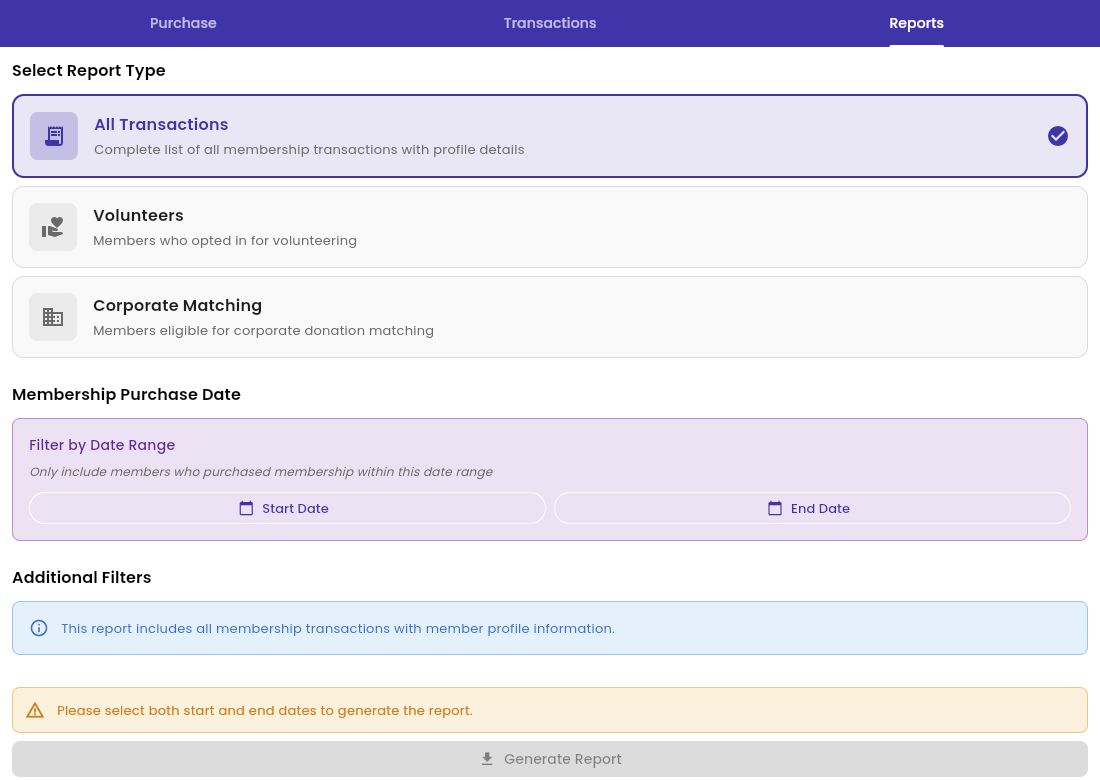
- Generate an All Transactions report with profile details.
- Filter reports by membership purchase date.
- Choose volunteer or corporate-matching reports.
Choose the report your committee needs.
Select membership transactions, volunteers, or corporate matching, then filter by purchase date before generating the report.
Let’s walk through your organization’s next event.
Bring your membership rules, registration choices, and the questions your team needs answered.