
Refunds without the manual calculations.
Open a transaction and choose Issue refund. Eventic checks eligibility and calculates the amount, so your admin can follow a simple guided flow without doing the maths.
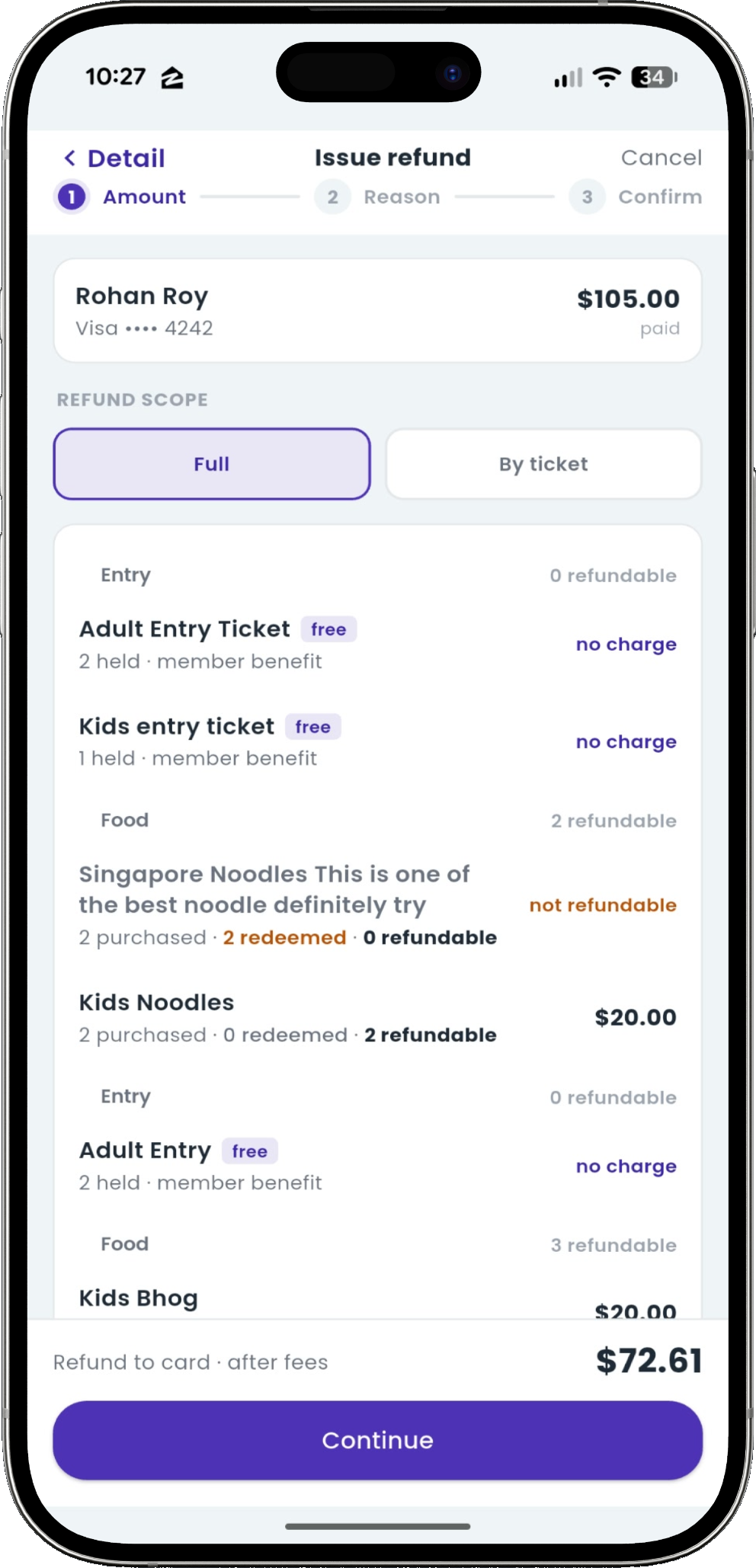
Choose the refund. Eventic handles the eligibility.
Choose a full eligible refund or individual tickets. Eventic checks redeemed items, free membership benefits, package purchases, and earlier refunds—then shows exactly what can be returned.
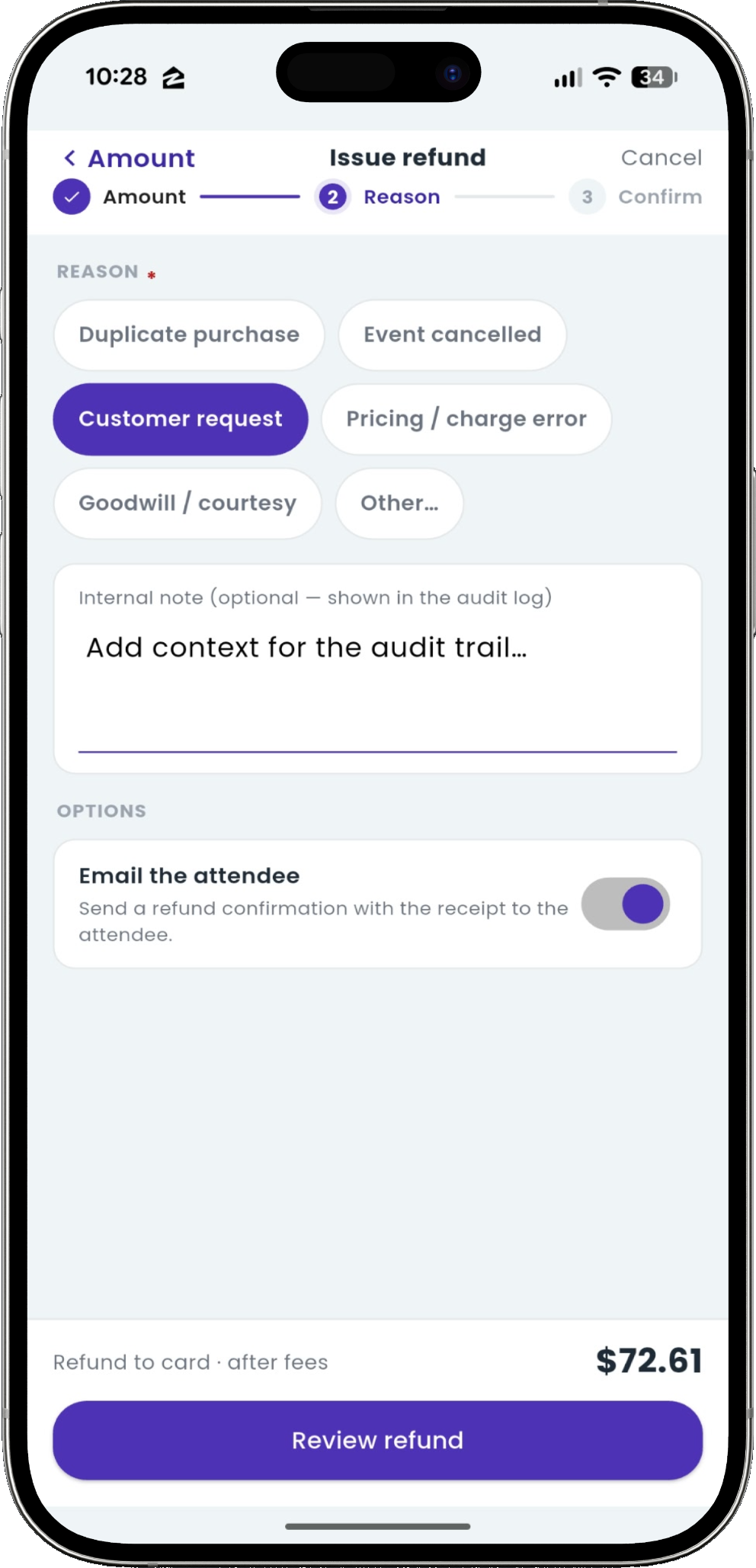
Add the reason. Keep the context.
Select a reason, add an optional note for the audit trail, and choose whether to email the attendee. The calculated refund stays visible throughout.
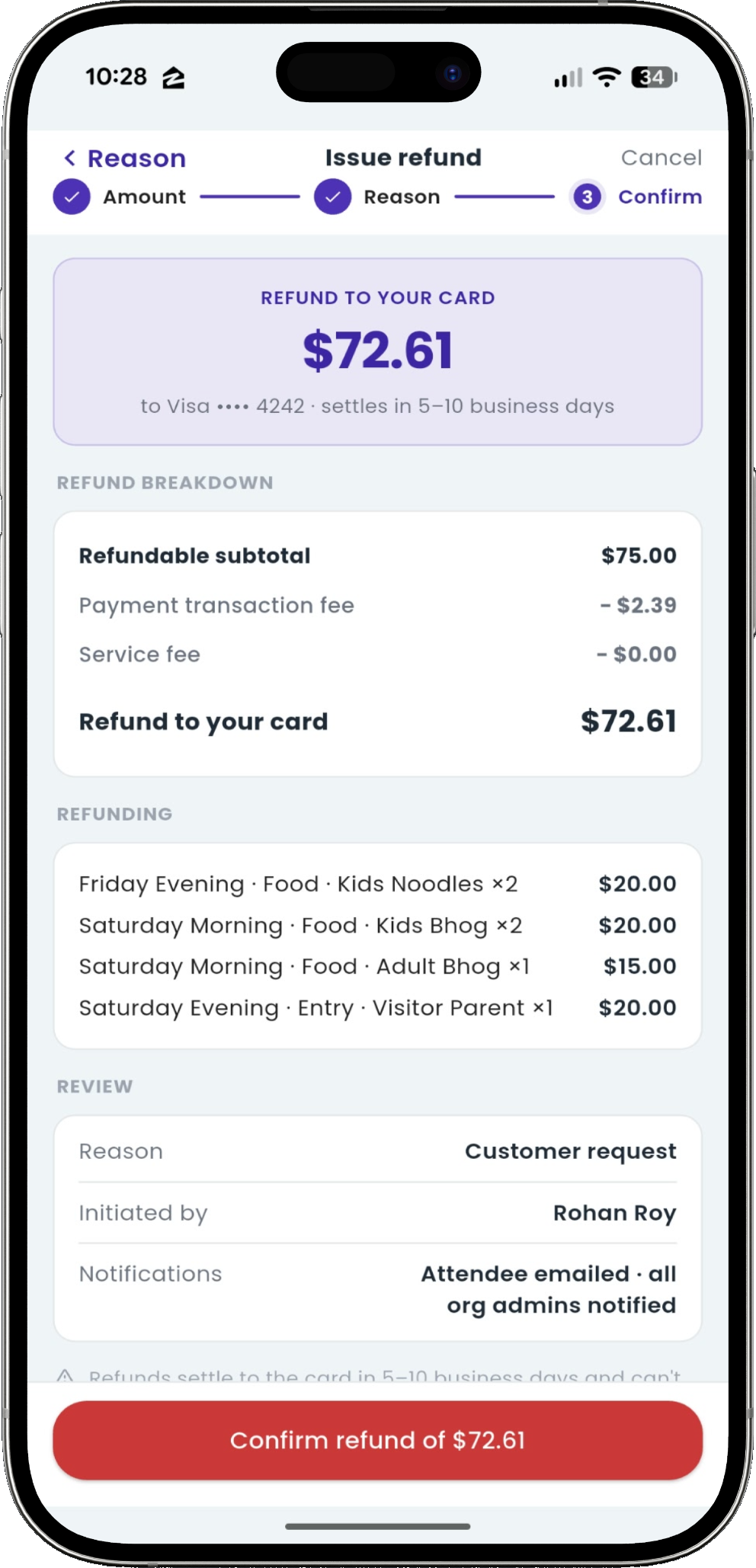
See the calculation. Confirm with confidence.
Eventic has done the maths. Review the eligible items, fees, exact refund amount, and notification plan in one clear summary—then confirm.
Send the attendee a receipt. Keep admins informed.
When attendee email is enabled, their receipt shows refunded items, fees, and the amount returned. All organization admins are notified, with the reason and issuing admin recorded for follow-up.
See connected finances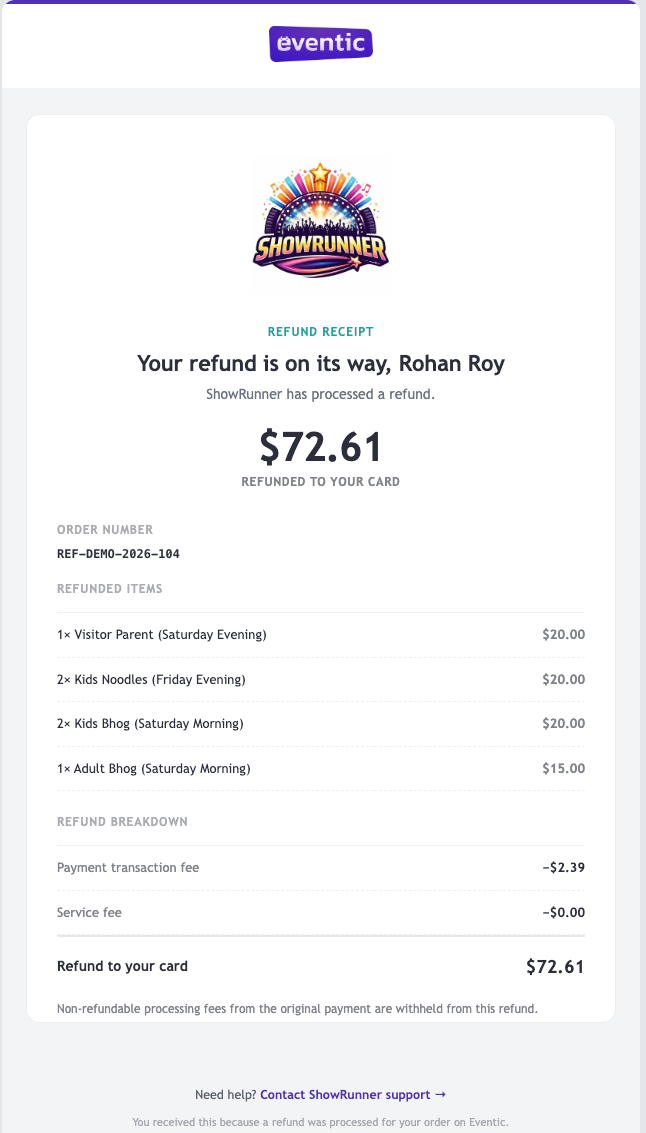
Less refund admin. More clarity for everyone.
See how Eventic connects ticket eligibility, refunds, receipts, and your organization’s finances.