
Every event question. One place to help.
Give attendees a clear way to reach the organizing team through Eventic Help. New requests notify your team by email and stay together in one dashboard—not scattered across phone calls, WhatsApp, SMS, and email.
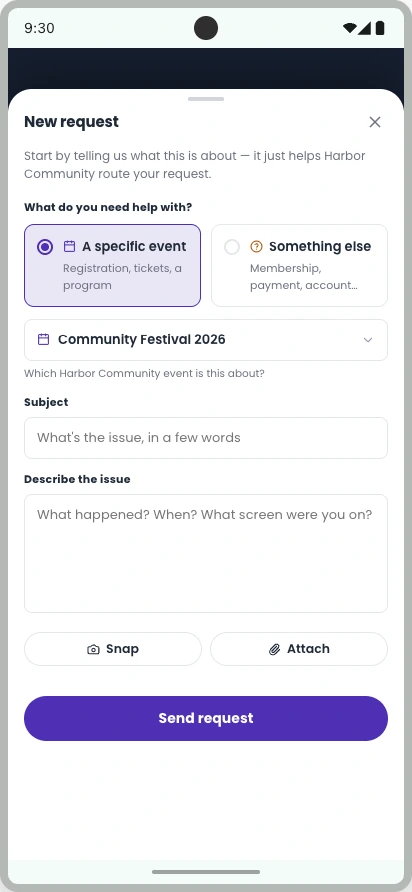
Reach your event organizer in a few taps.
Open Help in Eventic, choose your event, and ask your question. The organizer is notified by email, and you can read their answer and follow up in the same request.
One dashboard. No lost follow-ups.
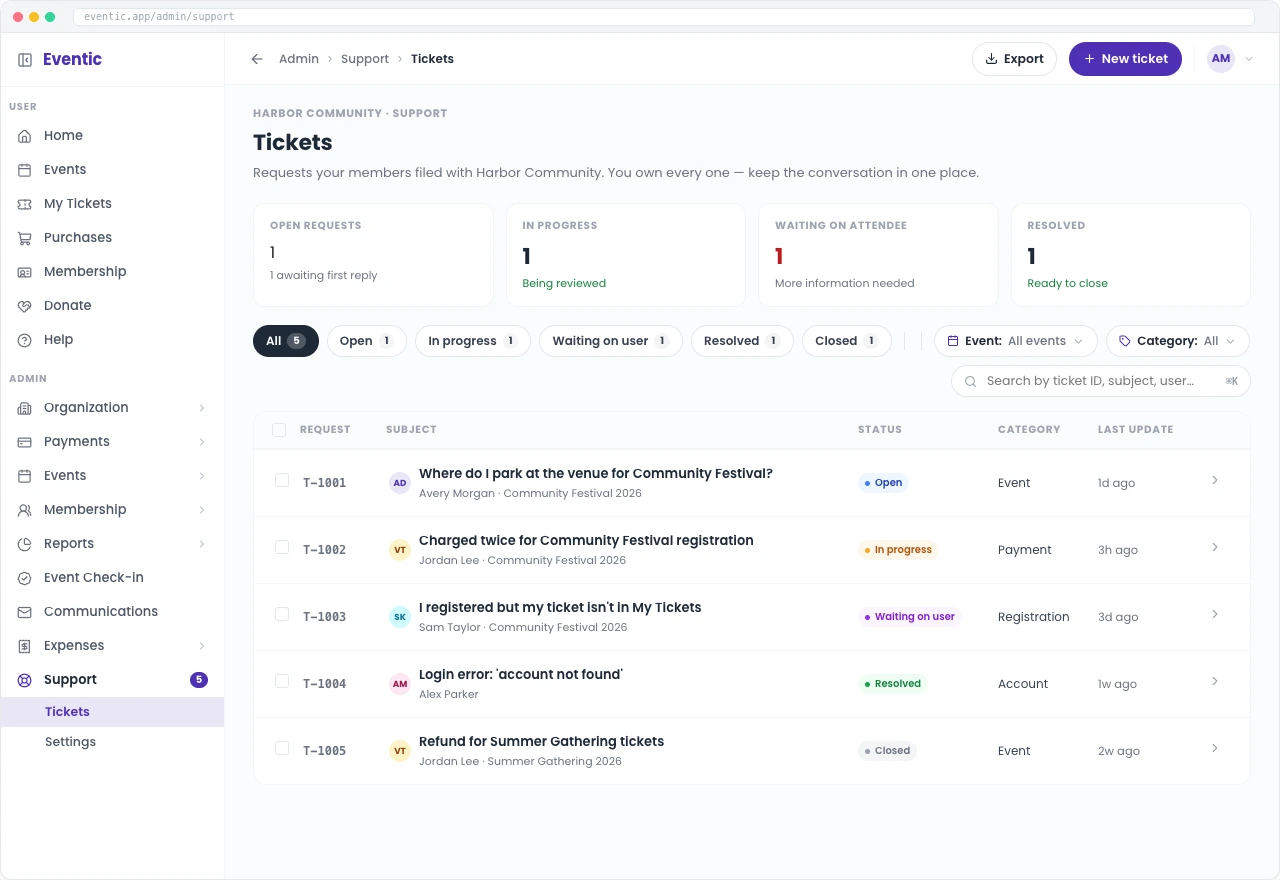
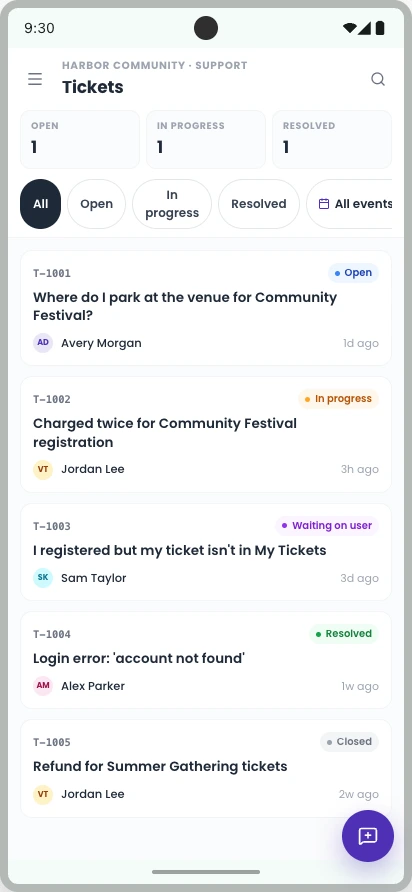
Bring your event’s requests into one view. See what’s open, in progress, or resolved, then open a request to reply and take the next action—without piecing together messages from different channels.
Less chasing. More time for your event.
Let’s walk through how Eventic Help can give your attendees a clear place to ask and your team one place to respond.